 AEROTRACK
 Every chart. Every airport.
Not the price tag you're used to.
AeroTrack EFB is a full electronic flight bag for Part 91 pilots — designed for iOS and iPadOS — the iPhone in your pocket as much as the iPad on your kneeboard — priced like a personal tool instead of a fleet subscription, and built with the real FAA data a free app tends to leave out.
iPhone and iPad · Works without a signal · Not certified for navigation
Priced like a personal tool
A fraction of what the big subscription apps charge. No enterprise tier, no surprise renewal.
Built for iOS and iPadOS
Native on both, not one stretched to fit the other. Controls, the data bar and the sidebar adapt to the screen in your hand.
Actually complete
Every US airport, full FAA chart coverage, live weather, real ADS-B. No ads, no missing pieces, actively maintained.
See it
The real app, on a real iPad.
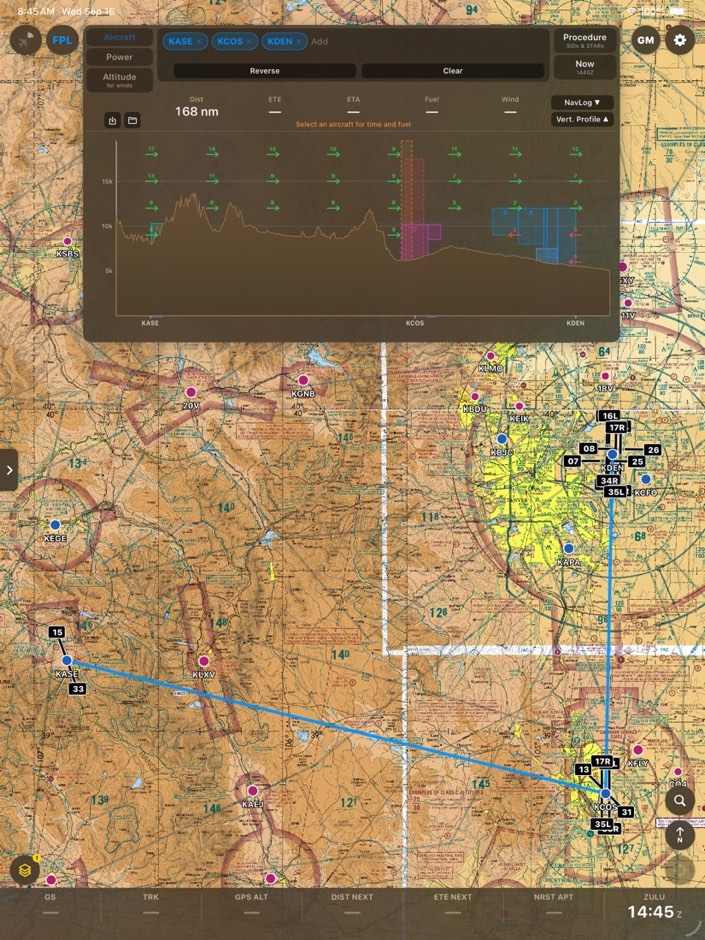
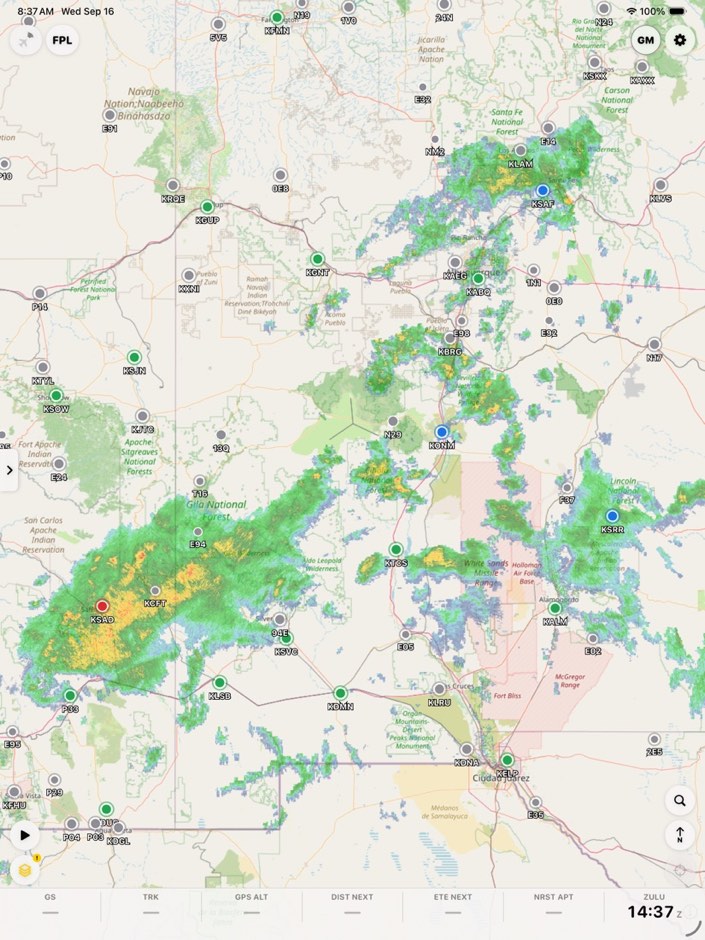
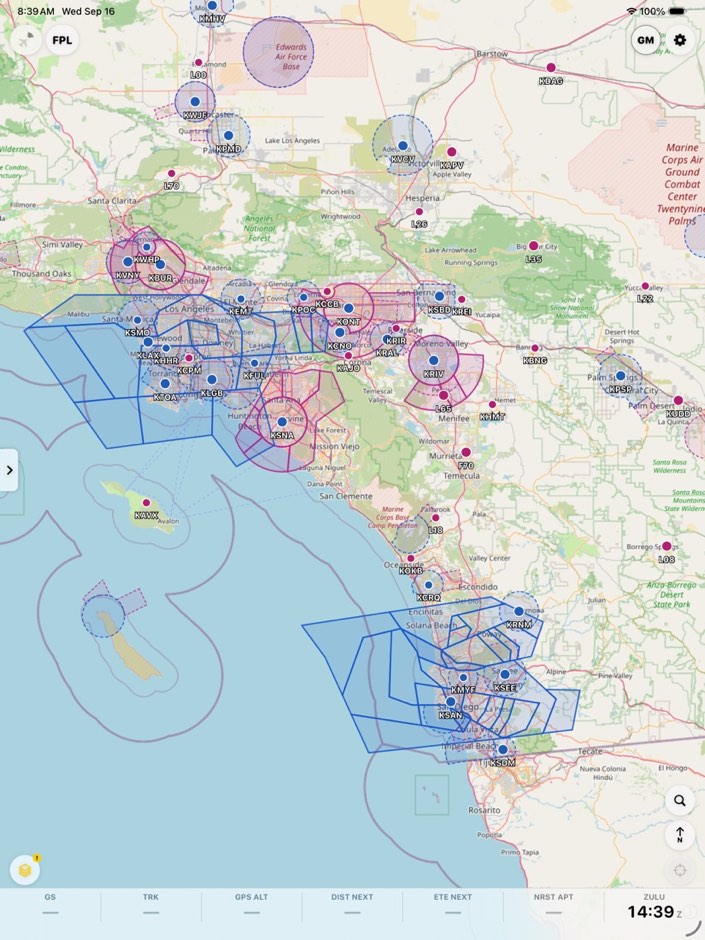
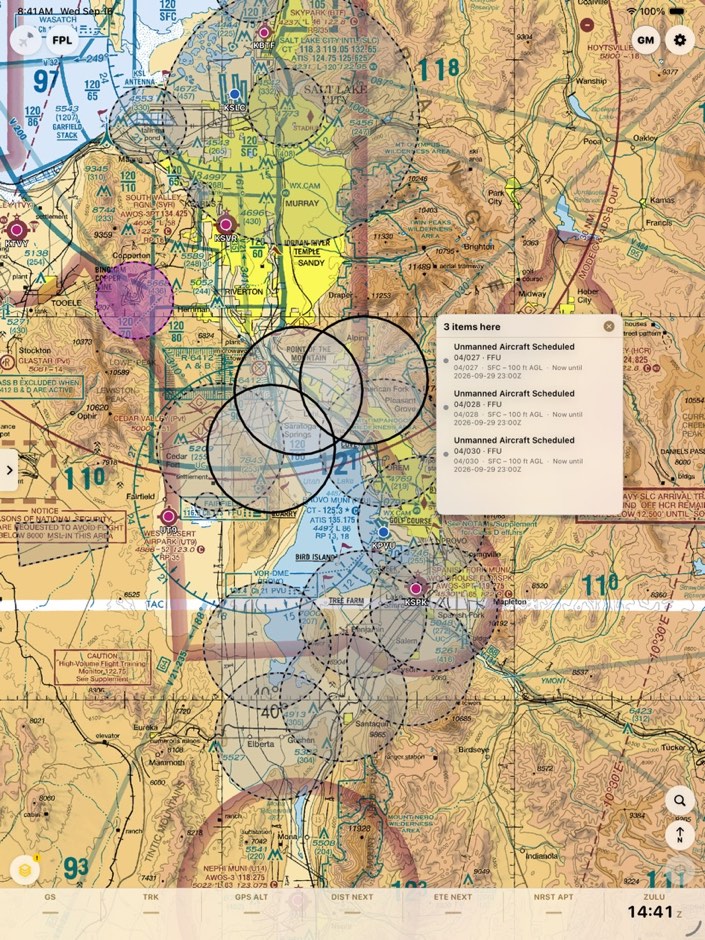
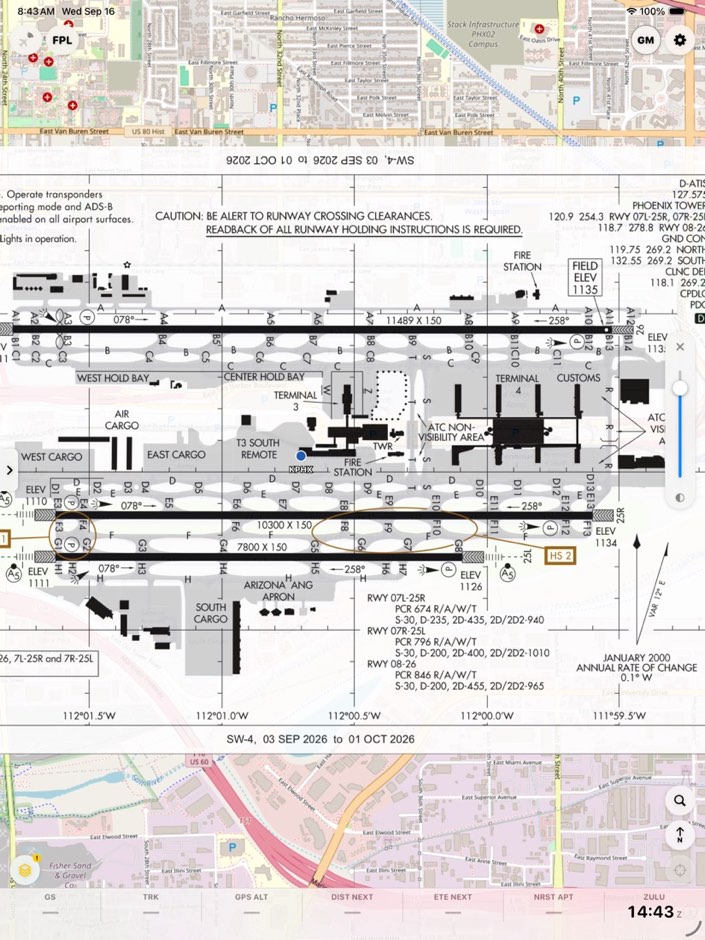
Straight from the simulator — no mockups. Live radar, airspace, TFRs and NOTAMs, FAA sectionals and georeferenced plates, all on one map.
What it does
Everything you brief on the ground, still there at altitude.
Built as a working cockpit tool first and a product second — every feature below started as something that was missing on an actual flight.
Split screen
Map on one side, a plate, A/FD page or document on the other, with a draggable divider. iPad and unfolded foldables; sizes and sides are remembered.
SIDs and STARs
Coded procedures from the FAA's own data, picked by runway and transition and added to your route as a single unit — with every leg written out.
Clouds on the profile
Forecast cloud layers drawn on the vertical profile, with winds and temperature. Drag along it to read terrain, winds, clouds and airspace at any point on the route.
Flight-computer tools
Wind finder, true airspeed, climb and descent, cloud base, compass heading, fuel and coordinates — real E6B math, built in.
Chart Supplements and TAC charts
FAA Chart Supplement pages for every airport, plus Terminal Area and IFR Area charts as downloadable packs on the same map.
File your flight plan
Build an ICAO flight plan from your route and your aircraft's equipment profile, check it, and file it with 1-800-WX-BRIEF without leaving the app.
LogTen Pro export
Send a saved logbook entry straight to LogTen Pro. Re-sending updates the entry instead of duplicating it.
Obstacles and MEF
Obstacle points and Maximum Elevation Figures on the map, from the FAA's Digital Obstacle File.
Weather imagery and briefs
Prog charts, SigWx, icing, turbulence and TCF imagery, a decoded weather brief with PIREPs, and saved briefs you can reopen offline.
iCloud sync
Flight plans, aircraft profiles, weight-and-balance, favorites and your data bar layout follow you to every device on your iCloud account.
Stratux, always in view
Live ADS-B traffic and ownship over GDL-90, with relative altitude, vertical trend and alerts — plus pairing, connection status and GPS/traffic health right in the app.
Pack for a flight
Build your route, tap Pack, and AeroTrack downloads just the chart tiles, airport data and terrain that route touches, so it's on the device before you lose signal.
Georeferenced approach plates
Most approach plates and airport diagrams are registered to real-world coordinates, so ownship shows right on the plate. Sketch a hold or note a clearance on it with a layer that stays registered.
Map layers, stacked your way
FAA sectionals, IFR low and high, and street or satellite base maps under radar, METARs, AIRMETs/SIGMETs, winds aloft, PIREPs, airspace, TFRs and NOTAMs. Turn on what the flight needs.
Glide Mode
One button rings ownship with your aircraft's engine-out glide reach, shaped by a standard-rate turn and shrinking as you descend. Reachable fields pulse nearest-first, with one-tap divert. Advisory only.
Flight planning
Multi-leg routes with a navlog that reads the winds along each climb, cruise and descent, FAA preferred routes between your airports, Direct-To from any airport, crossing altitude and speed restrictions at any waypoint, cross-track error anchored the way a panel GPS anchors its course line, and a vertical profile with terrain and airspace.
Weight and balance
Per-aircraft loading with fuel entered by type, normal and utility envelopes, and a graph that shows where you actually sit against the limits.
Terrain, shaded by clearance
The map shades ground amber inside 1,000 ft of your cruise altitude and red inside 500 ft, from a terrain grid bundled with the app. Always on, always offline — advisory only.
Apple Watch
A companion on your wrist.
The AeroTrack Watch app hasn't shipped yet. Here's what it's being built to do, with screens from the current build.
- Glance faceYour flight at a glance, without pulling out the phone.
- Flight, leg and checkpoint timersKeep time on the whole flight, the current leg, or the next checkpoint.
- Tank-switch reminderA nudge when it's time to change tanks.
- Haptic alerts from your iPhoneAltitude and audio alerts relayed to a tap on the wrist.
- METAR, TAF and winds-aloft pagesQuick weather lookups right on the watch.


Not for navigation
AeroTrack EFB is a situational awareness aid. It is not a certified navigation system, it is not TSO'd, and it is not approved as a primary means of navigation under any operating rule. The pilot in command remains responsible for verifying all information against current official sources and for the safe conduct of the flight. Carry what the regulations require you to carry, and treat everything on the screen as advisory.
Launch updates
Be first to know.
AeroTrack EFB is headed to the App Store for iPhone and iPad. Leave your email and we'll tell you when it ships and when something big lands — announcements only, no spam.